Description
Motion Sensor Intelligence
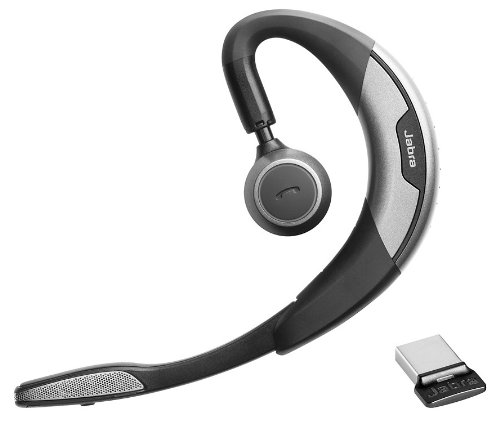
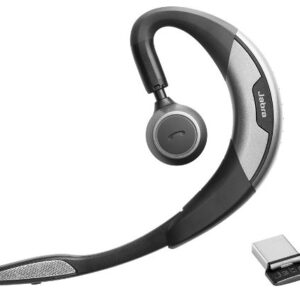
Jabra Motion UC is the ultimate headset featuring a unique intelligent motion sensor that allows you to effortlessly take or make that important call wherever you are. Featuring the best that the latest technology has to offer, Jabra Motion UC is above and beyond your expectations. With the built-in motion sensor and advanced microphones, the headset intelligently adapts the sound to your surroundings when you’re on-the-go or working in the office. The motion sensor also allows you to intuitively handle your calls – simply pick up the headset and put it on your ear to automatically answer a call.
Jabra Motion UC also lets you connect to practically any Bluetooth-enabled device, making it easy to seamlessly switch between your tablet, PC or smartphone. The headset comes with a USB adapter, which allows you to take or make internet calls via your PC and still be connected to you smartphone, tablet or other device. Your wireless freedom is thereby enhanced by a 10x longer Bluetooth range to you PC or laptop. Jabra Motion is really the only headset you’ll need for all your devices.
Jabra Motion UC has been designed with your personalized comfort in mind – with Jabra’s legacy of the behind-the-ear wearing style and unique height adjustment of the speaker tower, you can wear the headset in a way that makes you feel most comfortable. And when you’re done using it, simply fold the flip-boom arm and put the headset in your pocket to take it with you.
Jabra Motion UC also features NFC technology* for easy pairing – simply tap the headset on your smartphone* and you’re easily connected to take and make calls or stream your favorite multimedia – music, GPS and podcasts.
Connecting the Motion
Connecting with a Bluetooth Device
1. While pressing the Call button, open the flip boom-arm. Release the Call button when the Bluetooth light flashes blue.
2. Wear on the ear and follow the voice-guided connection instructions.
Connecting with the Jabra Link 360
1. Plug the Jabra Link 360 Nano Bluetooth USB adapter into any available USB port on your PC.
2. Open the flip boom-arm on the headset to connect to the Jabra Link 360.

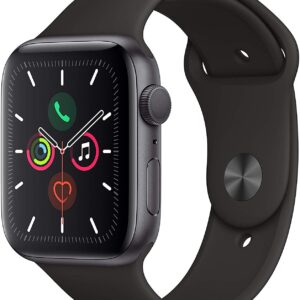
Apple Watch Series 5
MSI Titan GT77HX RTX 4090 17.3" i9-13980HX 64GB RAM 4TB SSD
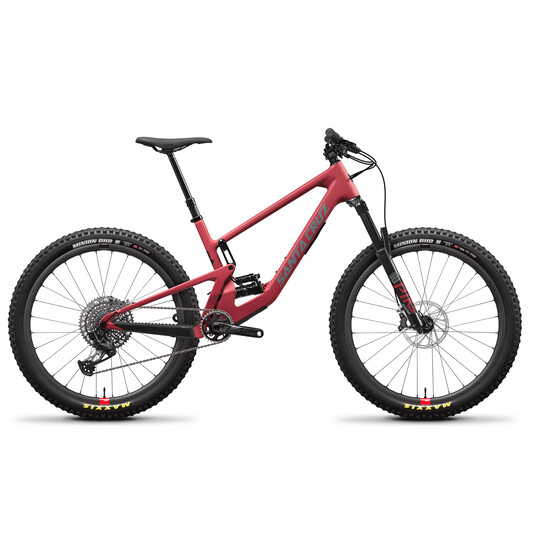
Santa Cruz 5010 4 CC X01-Kit Reserve (2021)
BTL Aesthetics Emsculpt System
Sapphire 11265-00-40G Radeon NITRO+ RX 580 8GB GDDR5 DUAL HDMI / DVI-D / DUAL DP with backplate LIMITED EDITION (UEFI) PCI-E Graphic Cards
Microsoft Surface Pro 6 12.3 Intel Core i5 8GB RAM 256GB SSD with Type Cover
Roland DWX-52D 5-Axis Dental Milling Machine
MSI GAMING Radeon RX 480 GDDR5 4GB CrossFire VR Ready FinFET DirectX 12 Graphics Card (RX 480 ARMOR 4G OC)
JBL Pulse 3 Bluetooth Wireless Speaker Waterproof Lightshow
Sapphire 11265-01-20G Radeon NITRO+ RX 580 8GB GDDR5 DUAL HDMI / DVI-D / DUAL DP with backplate (UEFI) PCI-E Graphics Card
Garmin Swim Watch with Garmin Connect
Denon DJ MCX8000 | Standalone DJ Player and Serato 4-Channel DJ Controller)
Garmin Fenix 3 HR
DJI Avata 2
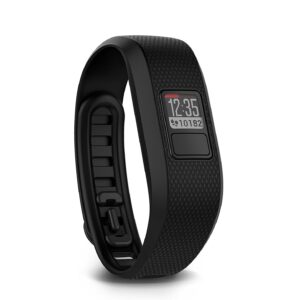
Garmin vivofit active 3
Amazon Fire TV Cube | Hands-Free with Alexa and 4K Ultra HD | Streaming Media Player
ZOTAC GeForce GTX 1080 Ti Founders Edition 11GB GDDR5X 352-bit Graphics Card (ZT-P10810A-10P)
Amazon Echo Dot 3rd Generation w/ Alexa Voice
Panther v4.2 Electric Bike
Apple iPhone 12 Mini 256GB White
MSI GT75 17.3" 4K Ultra HD Gaming Laptop - Intel Core i9 - 32GB Memory 1TB Hard Drive + 512GB
Apple iPhone 12 64GB White
Gamer PC with monitor Intel i9-9900K 27 inch RTX 2080 8GB Complete set computer
SONOS PLAY:1 Smart Wireless Speaker
Supra HKS Twin Turbo 6 Speed VVTI Engine 2JZGTE 


There are no reviews yet.